
Do Tooling
This option is used to import a 3D model from other format and use it for
bending. The File Selection panel appears when this option is selected. Then
pick a 3D file to import.
The following formats are supported:
-
IGES 3D model (. iges, .igs files)
After the file is selected, the 3D model data is imported and displayed. Use the screen to rotate the model around and verify that the import looks correct. In the displayed model, bend lines are marked in yellow, while cut/weld edges are marked in black:
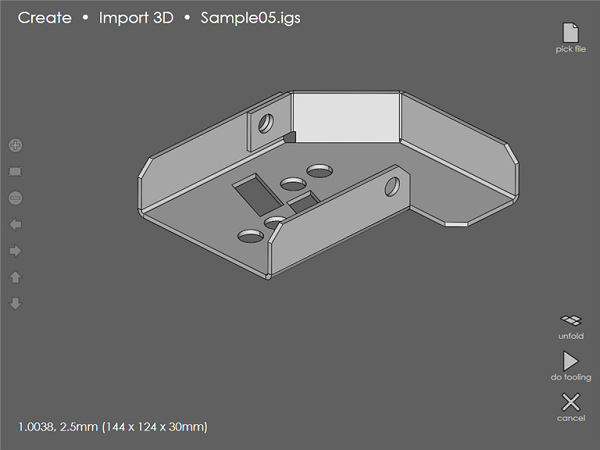
If the model looks OK, use the Settings button to set up the material, thickness for the model, as well as the punch and die to be used.
Use the unfold button to view the flat pattern and the flat dimensions of the imported file in a new window. Upon pressing the back button, the flat pattern window closes, and returns to the 3D Import window.
Touching the Do Tooling button process the model by computing a bend sequence, back-gauge positions and the tooling setup.