
Operation
Create similar programs in Machine A & Machine B, it is the operator responsible to check for the sheet positioning, opening heights, retraction, etc.,
-
If need, run the program individually in each machine and check the parameters are OK.
-
Now, activate the tandem button available in any one of the machines where the license option is activated (will call this machine has master).
-
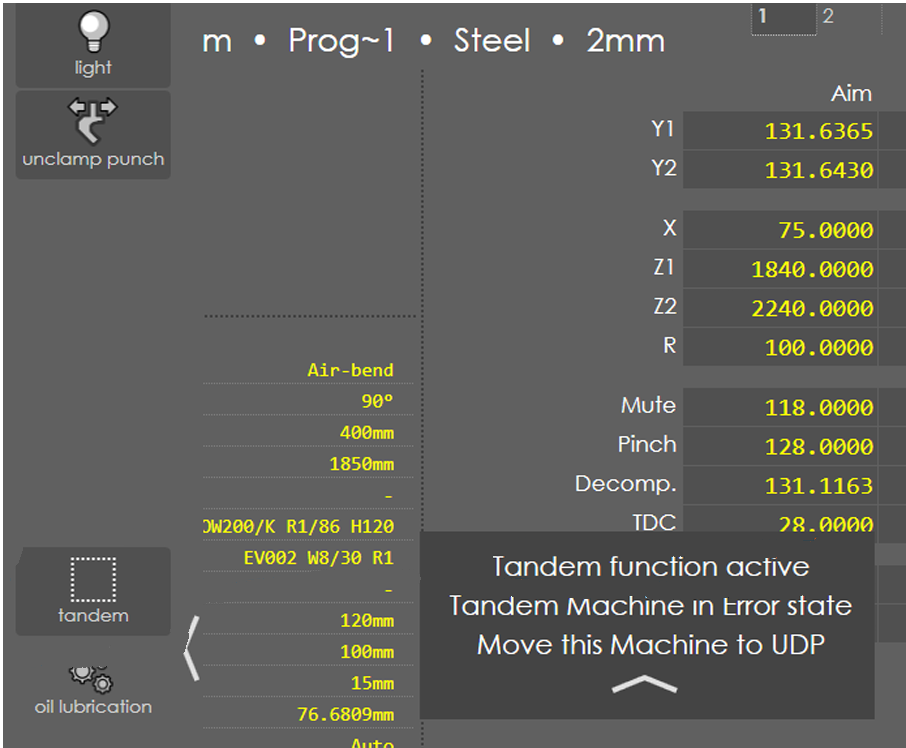
When the communication is established, the message Tandem function active will be displayed.
-
From this moment, the following actions are valid:
-
Start button allowed only in the Master machine.
-
Stop button in any machine will stop the program.
-
Foot pedal Down pressed in Master machine will be validated for the RAM down movements.
-
Foot pedal UP pressed in any machine will be validated for reset and UDP movement.
-
Any machine in error state will stop the program and indicate with message Tandem Machine in Error state (if error occurred in other machine).
-
-
When the program is started, each bend phase runs synchronously to each other to complete the bend cycle.