
Display
This parameter is used to change the theme used in RA.
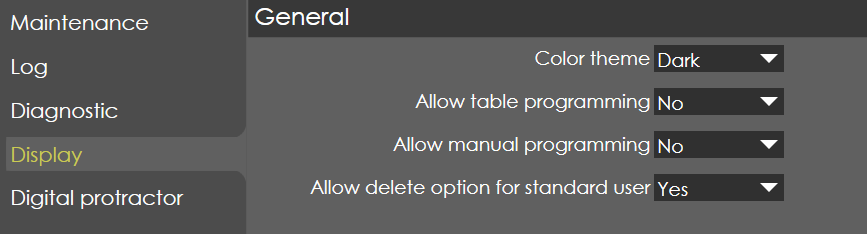
General
Color theme
Range |
Dark / Light / User |
Default |
Dark |
Units |
|
Access |
Standard |
Function
This parameter selects the theme used in RA software.
Description
By default, the theme used in RA is dark theme, user also has option to select light theme or customised (user) theme.
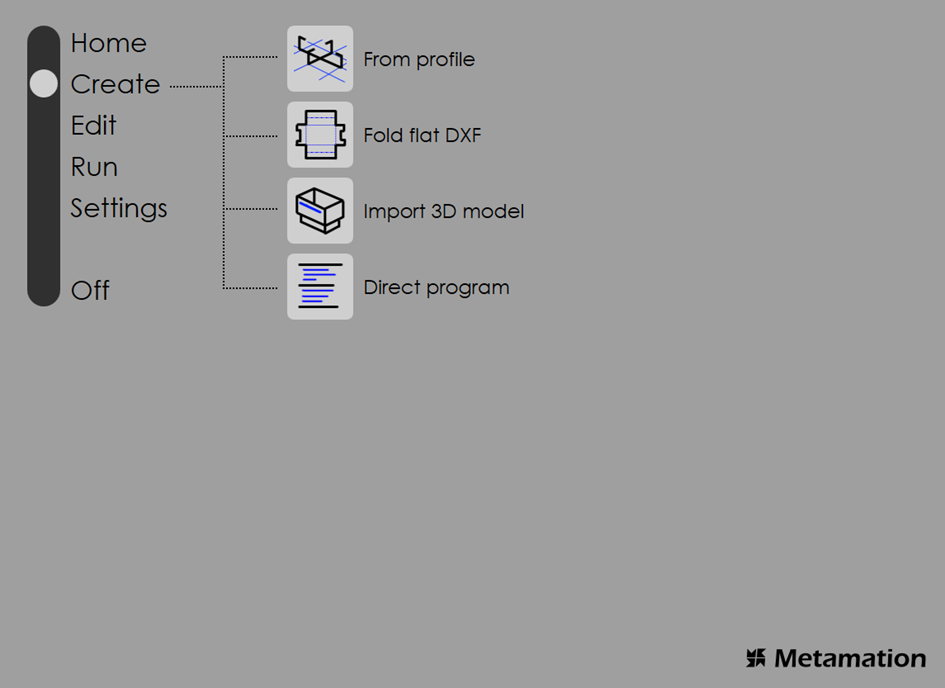
User can create their own theme by selecting the user option in color theme and modifying the user.thm file in 'C:\ProgramData\Metamation\RA\RData' folder as per their requirement.
Here user can choose colors for individual fields given as shown below.
| RA needs to be restarted for the theme to take effect. |
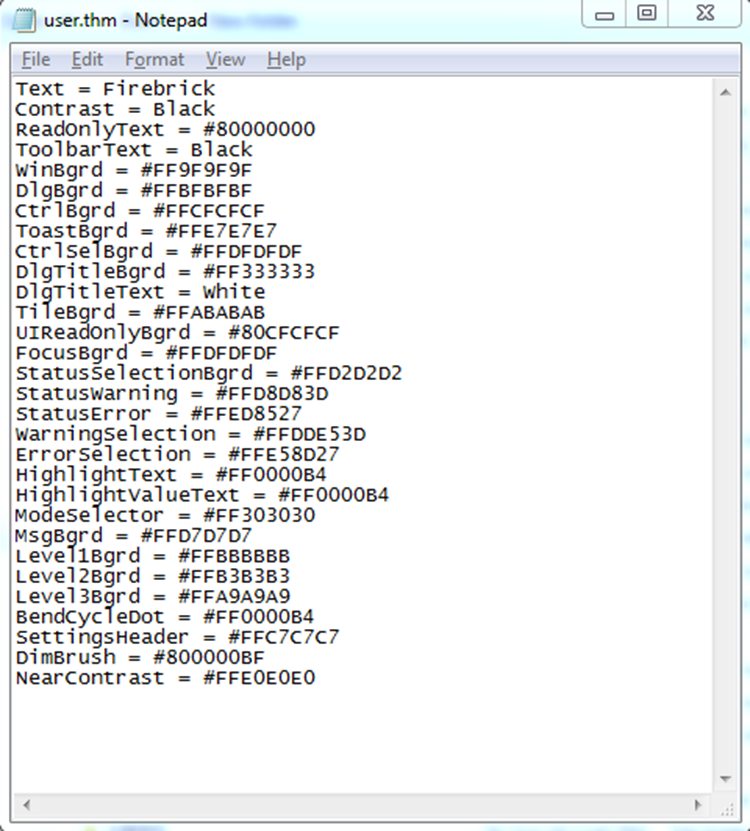
User can either directly enter the hex color code or can enter the color name from the list given below for reference.
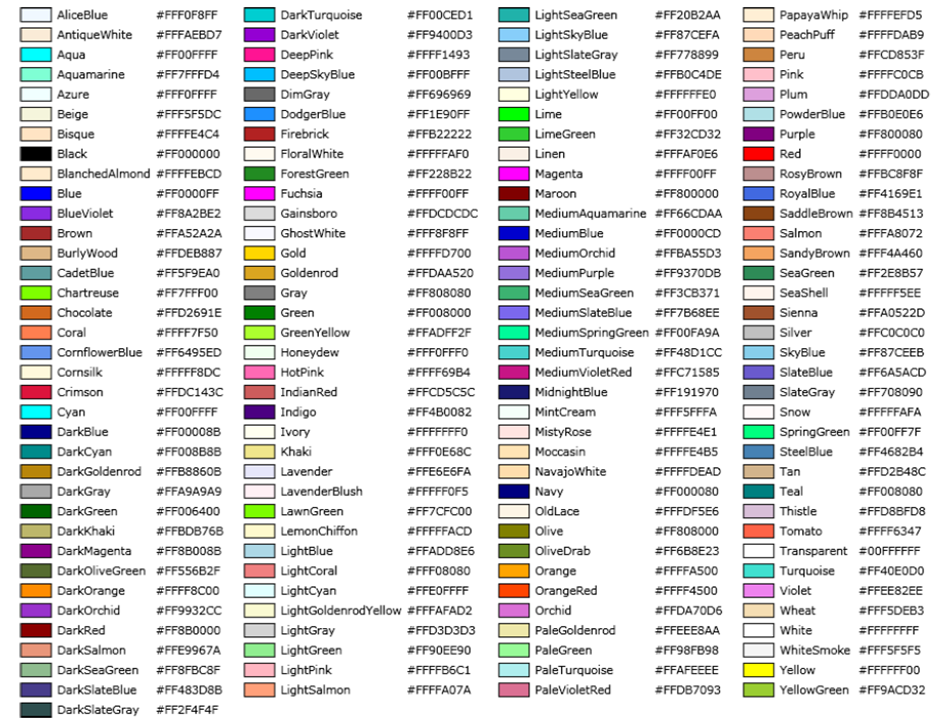
Hex color codes are in form #TTRRGGBB. The values are in hexadecimal with maximum value of 255(FF). TT corresponds to transparency, RR corresponds to red, GG corresponds to green and BB corresponds to blue.
Allow table programming
Range |
Yes / No |
Default |
No |
Units |
|
Access |
Standard |
Function
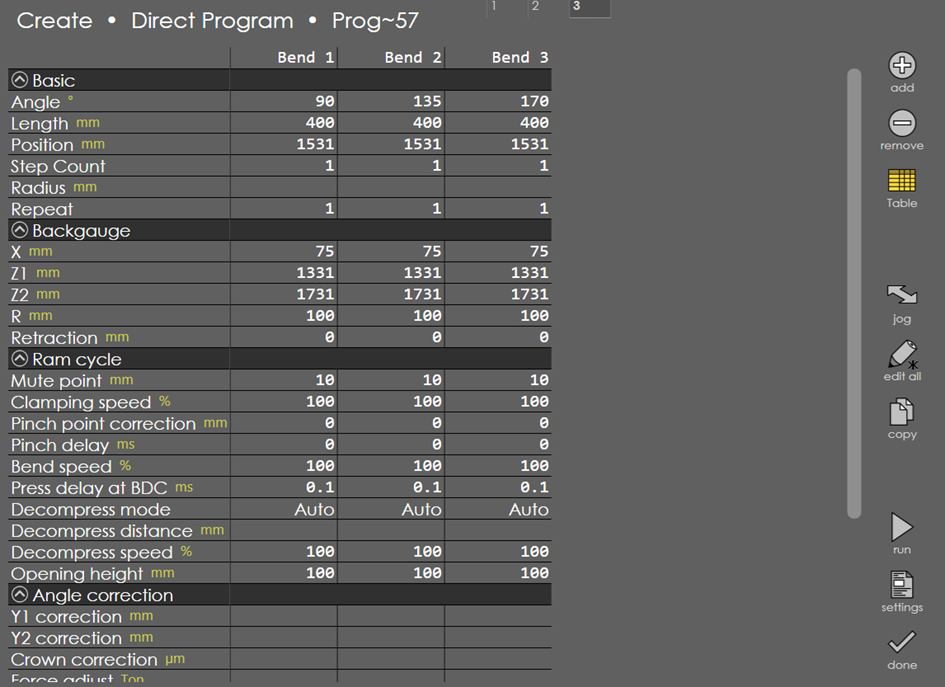
This parameter is used to enable table programming in RA.
Description
Only if this parameter is set to Yes, table option will appear while creating or editing direct program.
Allow manual programming
Range |
Yes / No |
Default |
No |
Units |
|
Access |
Standard |
Function
This parameter is used to enable manual programming in RA.
Description
Allow delete option for standard user
Range |
Yes / No |
Default |
Yes |
Units |
|
Access |
Standard |