Right Angle Reference Manual

  • Welcome to RightAngle Control
  • Introduction
    • User Interface
    • Gauging
    • Tools
    • General panels
    • Application notes
      • Selection of tools
      • Air bendig
      • Large radius bendig
      • Hemming
      • Coining
    • Design of bend parts
      • Min radius and flange length
      • Corner design
      • Bending tolerances
  • Create
    • From Profile
      • Profileselection
      • Create / edit a Profile
      • Extrude
    • Fold Flat DXF
      • Main screen
      • create
      • Edit
      • Fold
    • Import 3D model
      • Main screen
      • Unfold
      • Do Tooling
    • Direct Programming
      • Main screen
      • Add / Remove
      • Settings
      • Run
      • Navigate bend
      • Corrections
      • Jog
      • Table Programming
    • Setting page
    • Create Tool
  • Edit
    • Edit Sequence
    • Back gauges
    • Tooling
    • Simulation
  • Run
    • Main screen
    • Model based WF
      • Setup Sheet
      • Run Program
    • Program based WF
      • Info screen
      • Run
    • Corrections
    • Edit Cycle
  • Settings
    • Jog Axes
    • Manual Program
    • Tool Inventory
    • Other Settings
      • Machine Settings
      • General Parameters
        • Machine
        • Tools
        • Safety
        • CAN ports
        • PLC Options
        • Digital input configuration
        • Maintenance
        • Log
        • Diagnostics
        • Display
        • Digital Protractor
        • Barcode
      • Y-Axis Parameters
        • General
        • Mute
        • Feedback
        • Pressure Valve
        • Pressure Sensor
        • Idle
        • Fast Closing
        • Fast Closing Advanced
        • Pressing
        • Pressure Advanced
        • Decompression
        • Opening
        • Y-Axis Cold Condition Parameters
        • Crowning
        • Electric Press Brake
      • Axis Parameters
        • X Axis
        • Hand Wheel
        • FL1
      • Defaults
        • Bend Cycle
        • Bend program
        • Import/Export
        • Others
  • Tandem Operation
    • Operation
    • Communication Error
  • Impressum
Settings
/
Other Settings
/
Y-Axis Parameters
/
Y-Axis Cold Condition Parameters
Y-Axis Cold Condition Parameters

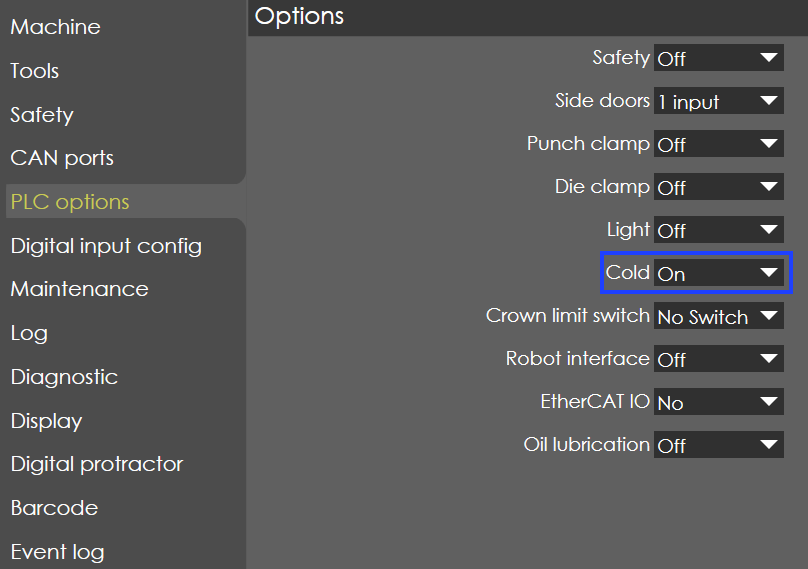
PLCOptions

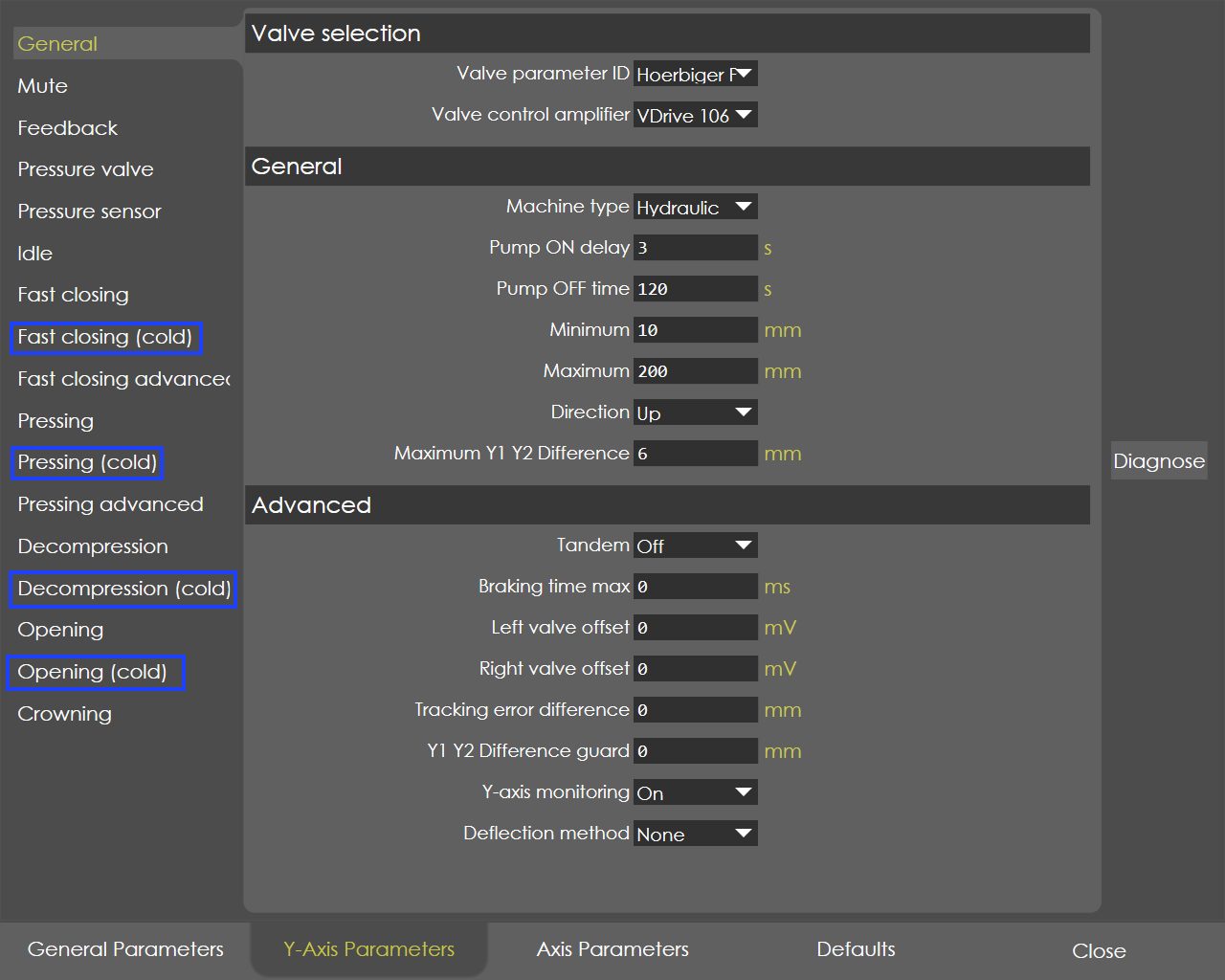
In the PLC option page, if the Cold parameter is ON, then in the Y-axis Parameters page the following additional pages are visible for the user entry:

  • Fast Closing (cold)

  • Pressing (cold)

  • Decompression(cold)

  • Opening(cold)

ColdSettings

The controller supports two sets of parameter namely warm and cold conditions. The nomenclature of the parameters remains the same in both the conditions, only the default parameters will be varied, especially the default delay time will be more.

Refer to warm condition parameters (default) for detailed description.

Switch between Warm and Cold Parameters

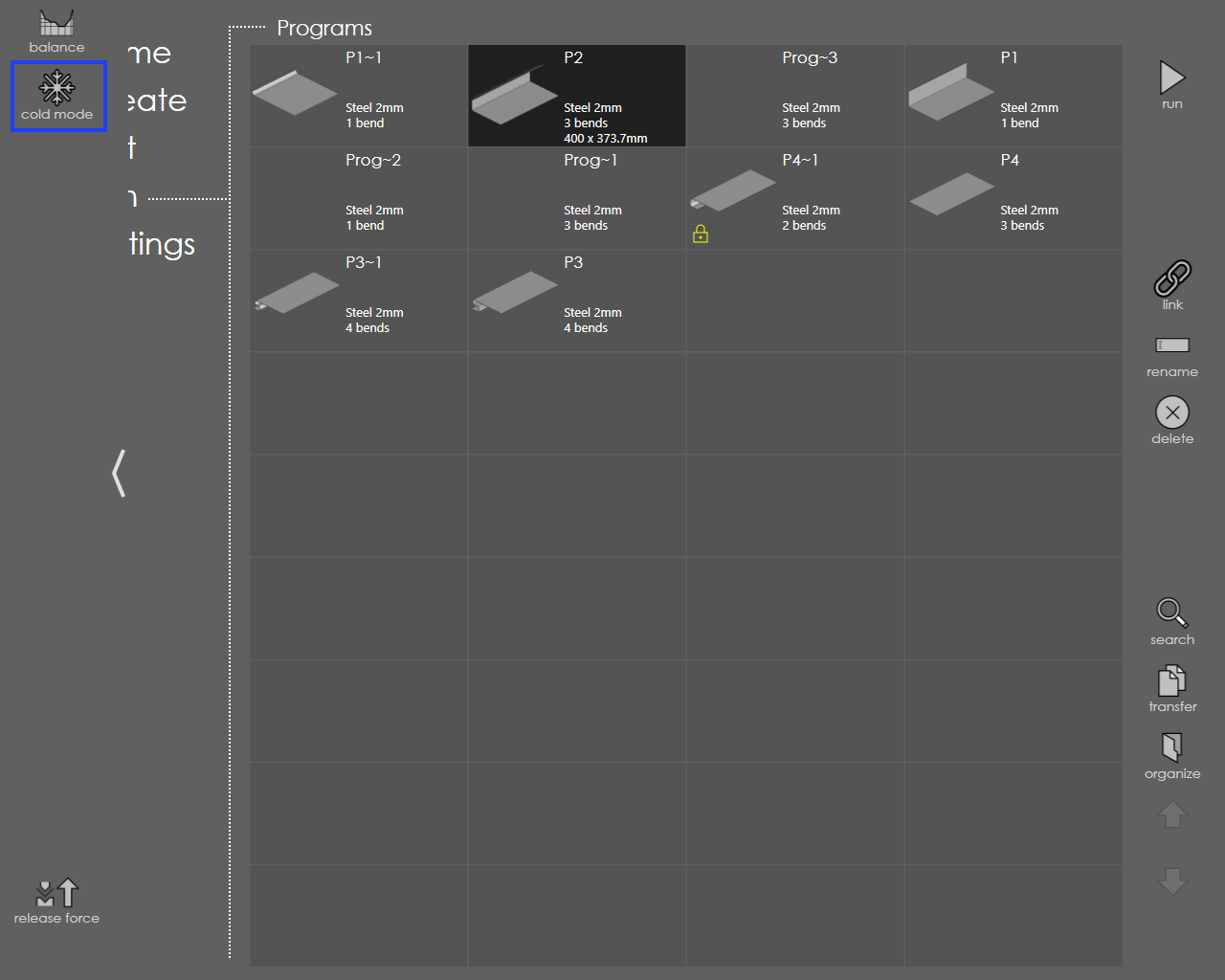
Use the soft key 'Cold mode', the Y-axis parameters can be switched between warm and cold condition.
ColdMode

Generally, the cold mode will be in inactive condition and by default the Y-axis warm condition parameters will be active.

When the temperature control is activated, if the actual temperature is low then the Cold condition parameters are automatically activated, provided that in the PLC options cold mode is ON.

Contents

  • Switch between Warm and Cold Parameters
Opening Crowning

      Copyright © 2025 by TRUMPF SE + Co.KG. All rights reserved.

    Compiled by Bento