Maintenance
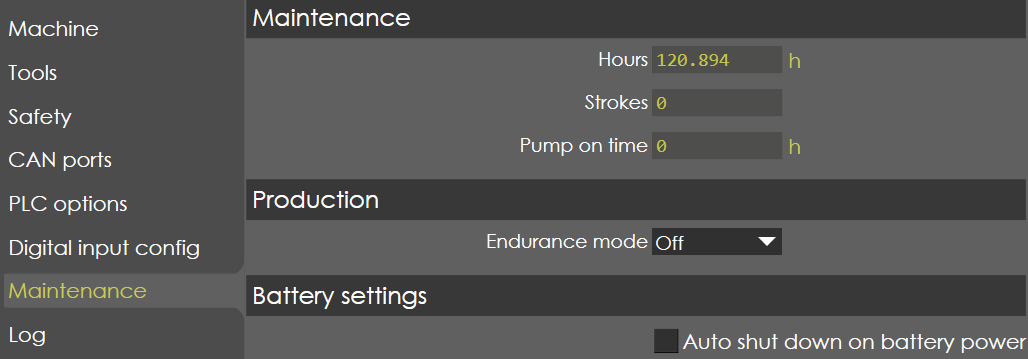
These parameters show the actual usage of the machine. Also, it is possible to reset the actual value of display to 0.
Maintenance
Hours
Range |
1-100000 |
Default |
0 |
Units |
Hours |
Access |
Administrator |
Function
This parameter shows the total running hours of the machine.
Description
NA
Strokes
Range |
0-999999 |
Default |
0 |
Units |
|
Access |
Administrator |
Function
This parameter shows the number of strokes of Y-axis (Bend cycle of ram).
Description
NA
Pump ON time
Range |
1-100000 |
Default |
0 |
Units |
Hours |
Access |
Administrator |
Function
This parameter shows the actual running hours of pump.
Description
NA
Production
Endurance mode
Range |
ON/OFF |
Default |
OFF |
Units |
|
Access |
Administrator |
Function
This parameter enables/disables the endurance mode for testing of the machine.
Description
When this parameter is enabled and the foot pedal close is pressed, the complete bending cycle runs continuously until the foot pedal is released. This mode is useful for testing the machine in floor line.
Battery settings
Auto shut down on battery power
Range |
Checked / Unchecked |
Default |
Unchecked |
Units |
|
Access |
Administrator |
Function
This parameter enables/disables auto shut down when in battery mode.
Description
Only if this parameter is checked, time-out period before shutdown parameter appears.
Data
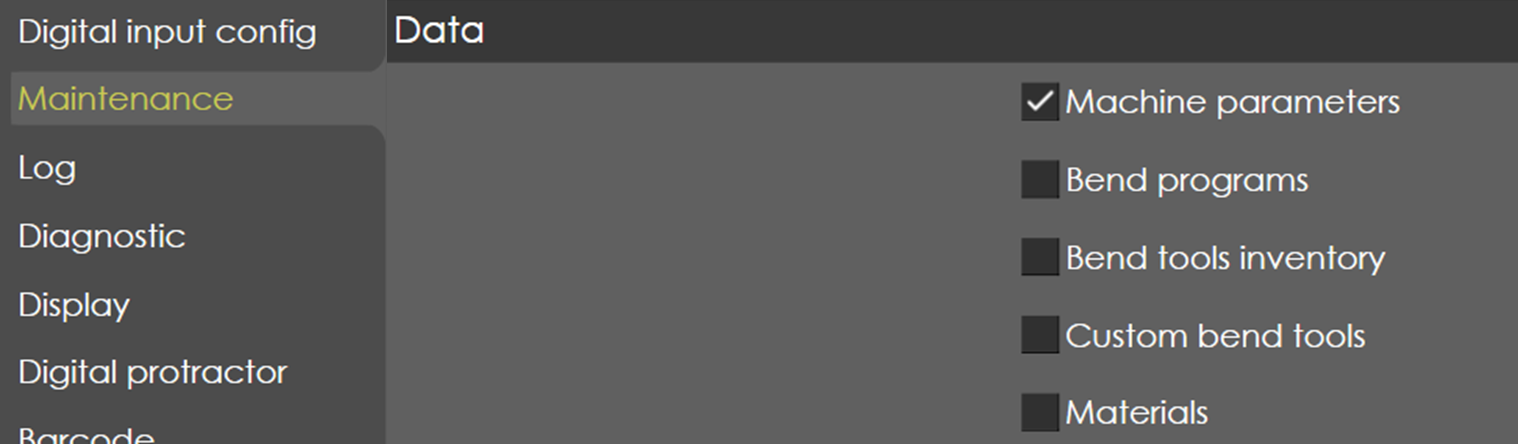
Machine parameters
Range |
Checked / Unchecked |
Default |
Unchecked |
Units |
|
Access |
Standard |
Function
This parameter specifies whether machine parameter data needs to be included while taking backup.
Description
If checked, it is included while taking backup else that data is not added in backup file.
Bend programs
Range |
Checked / Unchecked |
Default |
Unchecked |
Units |
|
Access |
Standard |
Function
This parameter specifies whether bend program data needs to be included while taking backup.
Description
If checked, it is included while taking backup else that data is not added in backup file.
Bend tools inventory
Range |
Checked / Unchecked |
Default |
Unchecked |
Units |
|
Access |
Standard |
Function
This parameter specifies whether bend program data needs to be included while taking backup.
Description
If checked, it is included while taking backup else that data is not added in backup file.
Custom bend tools
Range |
Checked / Unchecked |
Default |
Unchecked |
Units |
|
Access |
Standard |
Function
This parameter specifies whether custom bend tools data needs to be included while taking backup.
Description
If checked, it is included while taking backup else that data is not added in backup file.
Materials
Range |
Checked / Unchecked |
Default |
Unchecked |
Units |
|
Access |
Standard |
Function
This parameter specifies whether added materials data needs to be included while taking backup.
Description
If checked, it is included while taking backup else that data is not added in backup file.
Additional in Settings Maintenance
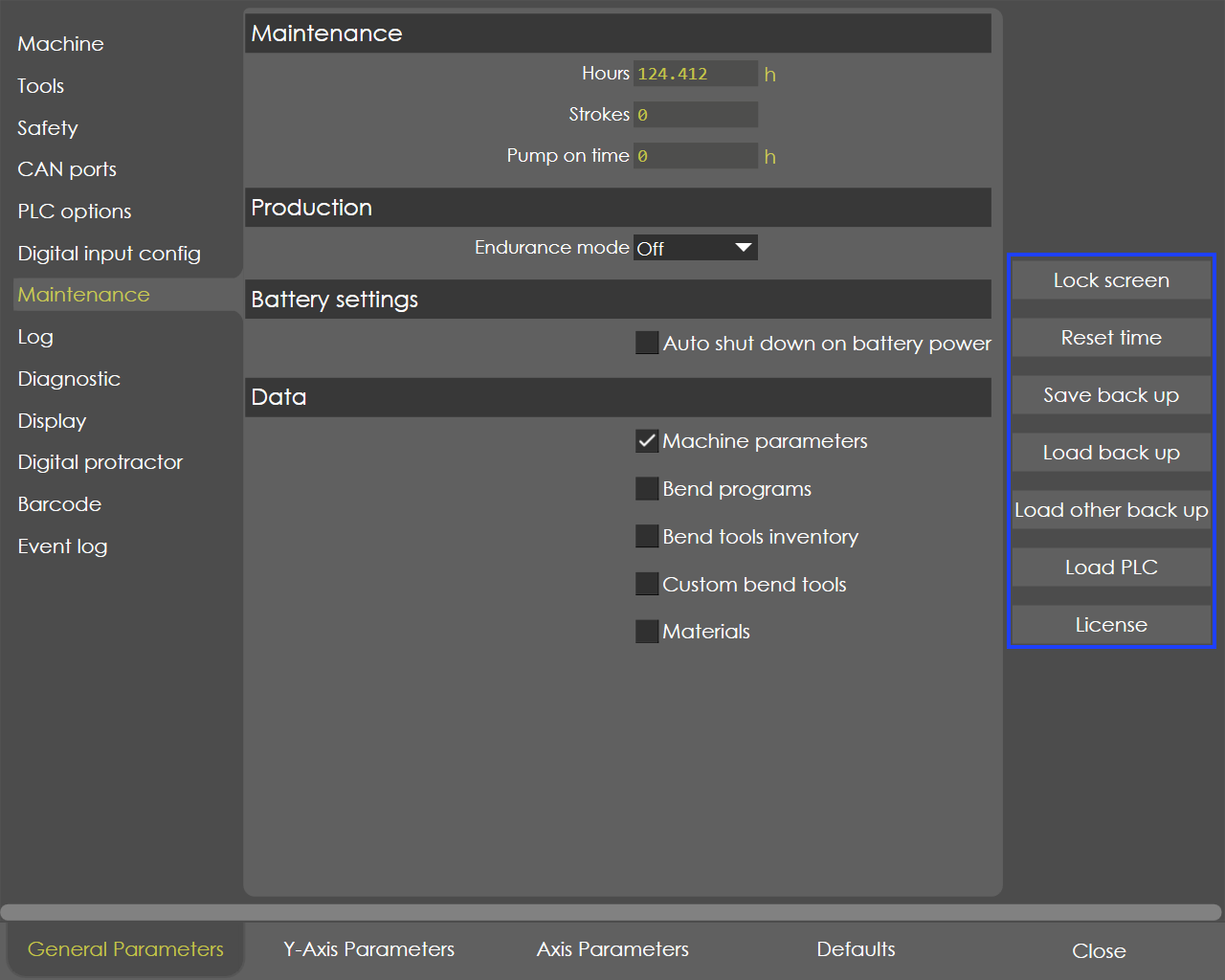
When user is in maintenance page with access level-service the following options appears:
-
Reset time: Used to reset hours, strokes and Pump on time
-
Save backup: Used to save the machine backup to selected location
-
Load backup: Used to load the selected machine backup file
-
Load other backup: Used to load backup file from a different machine
-
Load PLC: Loads the PLC program (bending.app file)
-
License: Used to view license information - Serial key, Name Licensed to, features included.
License Information
| To view license information, the access level must be service. |
On clicking license, License box will open as shown below:
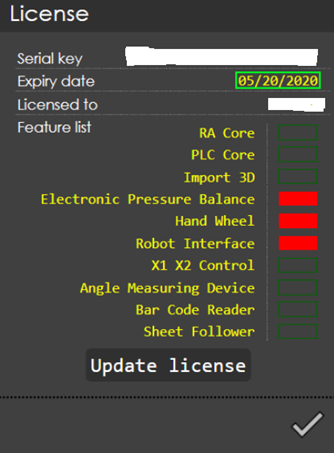
If any of the features is not enabled for customer, it will be highlighted in red.
OEM can set expiry date by clicking on expiry date in license page as shown above.
Default password to set expiry date is 21478963 corresponds to O in numeric keypad. RA expiry date and OEM expiry date is displayed, on entering the password, the change expiry date box appears:
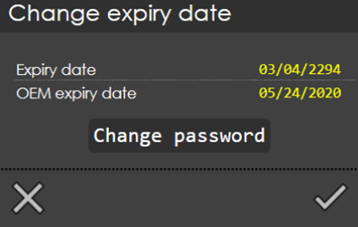
OEM can also set expiry date by clicking on OEM expiry date and entering number of days to allow from the current date as shown below: